Find the right meet
Search by meet name or location, browse available meets, and use location-based search to find nearby competitions. Favorite a meet for a quicker return.
MeetSystems on mobile
Two apps built for different jobs on meet day. Live Results keeps athletes, coaches, families, and fans informed. The Field Event App gives officials the tools to manage competition from the runway, circle, or apron.
Keep the meet close, even when you cannot be beside the finish line. Find participating meets, see who is competing, follow published performances, and track team standings from your phone or tablet.
Open a meet to reach its events, start lists, results, and team scores in one place. Save favorites and return to recent meets without searching again.
An internet connection and a participating meet publishing data are needed for current results.
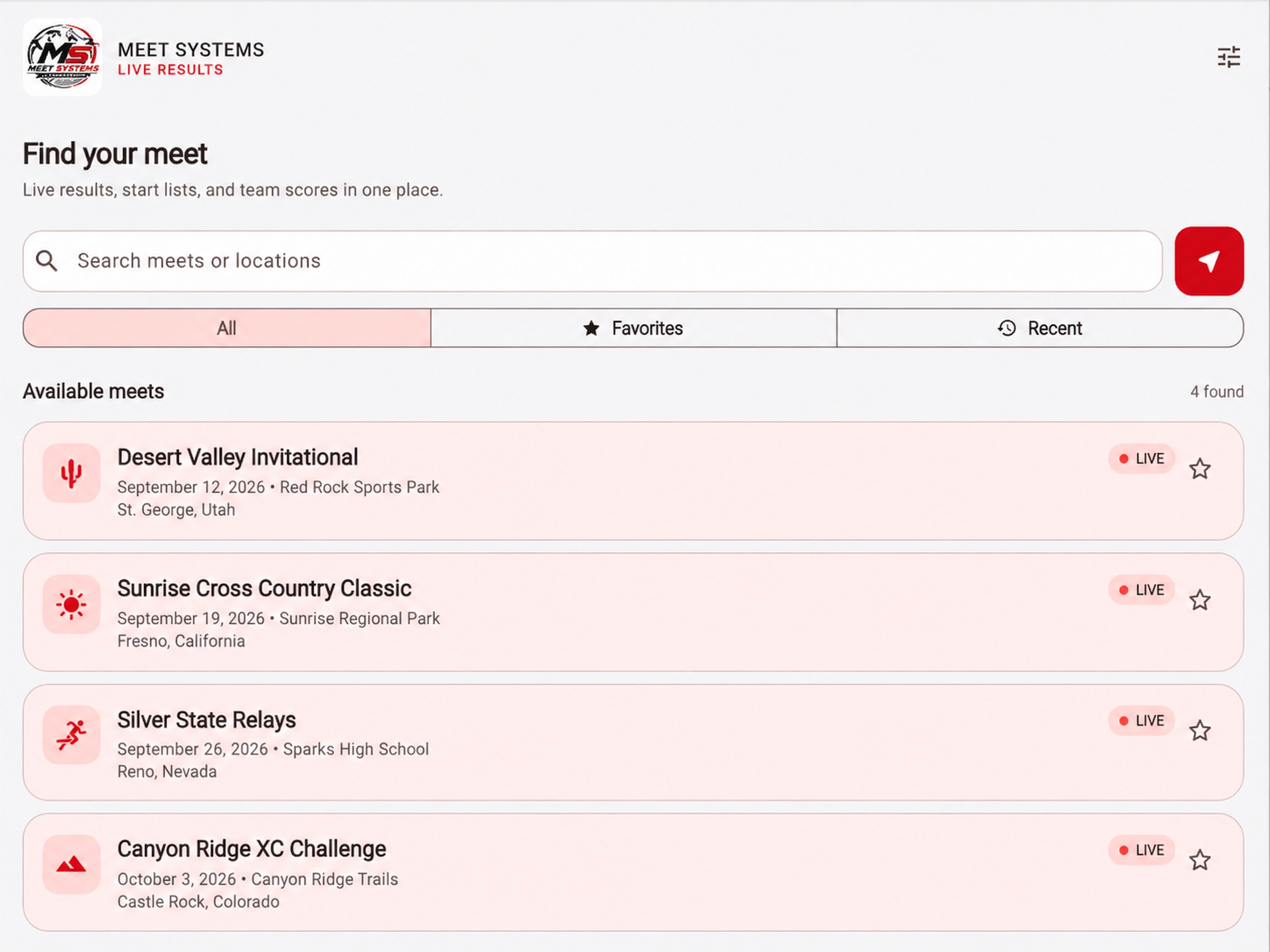
Search by meet name or location, browse available meets, and use location-based search to find nearby competitions. Favorite a meet for a quicker return.
Browse events and rounds, then check published start lists for athlete entries, heats, lanes, and flights. Division and event filters help you find the group you are following.
View places, times, distances, points, and qualifiers when supplied by the meet. Results support heat and overall views, with automatic refresh for live meets and manual refresh when needed.
Check available team standings and filter by scoring category or division. Supported data includes track, relay, and cross-country scoring.
Access live broadcasts and race replays when a meet provides them. Video availability depends on the organizer and the coverage published for that meet.
Open venue directions from the meet dashboard, choose a light or dark appearance, and use layouts designed for both phones and tablets.
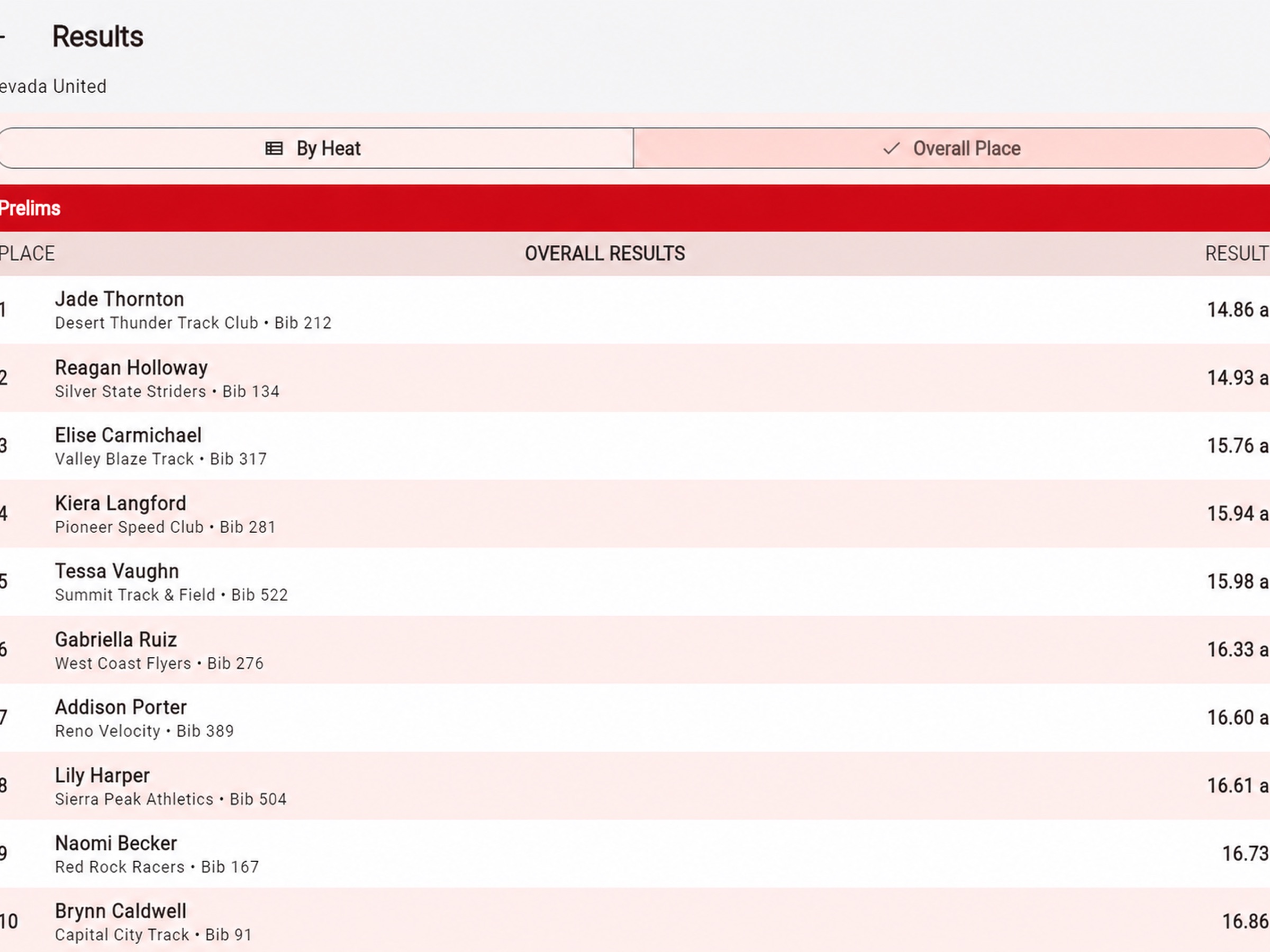
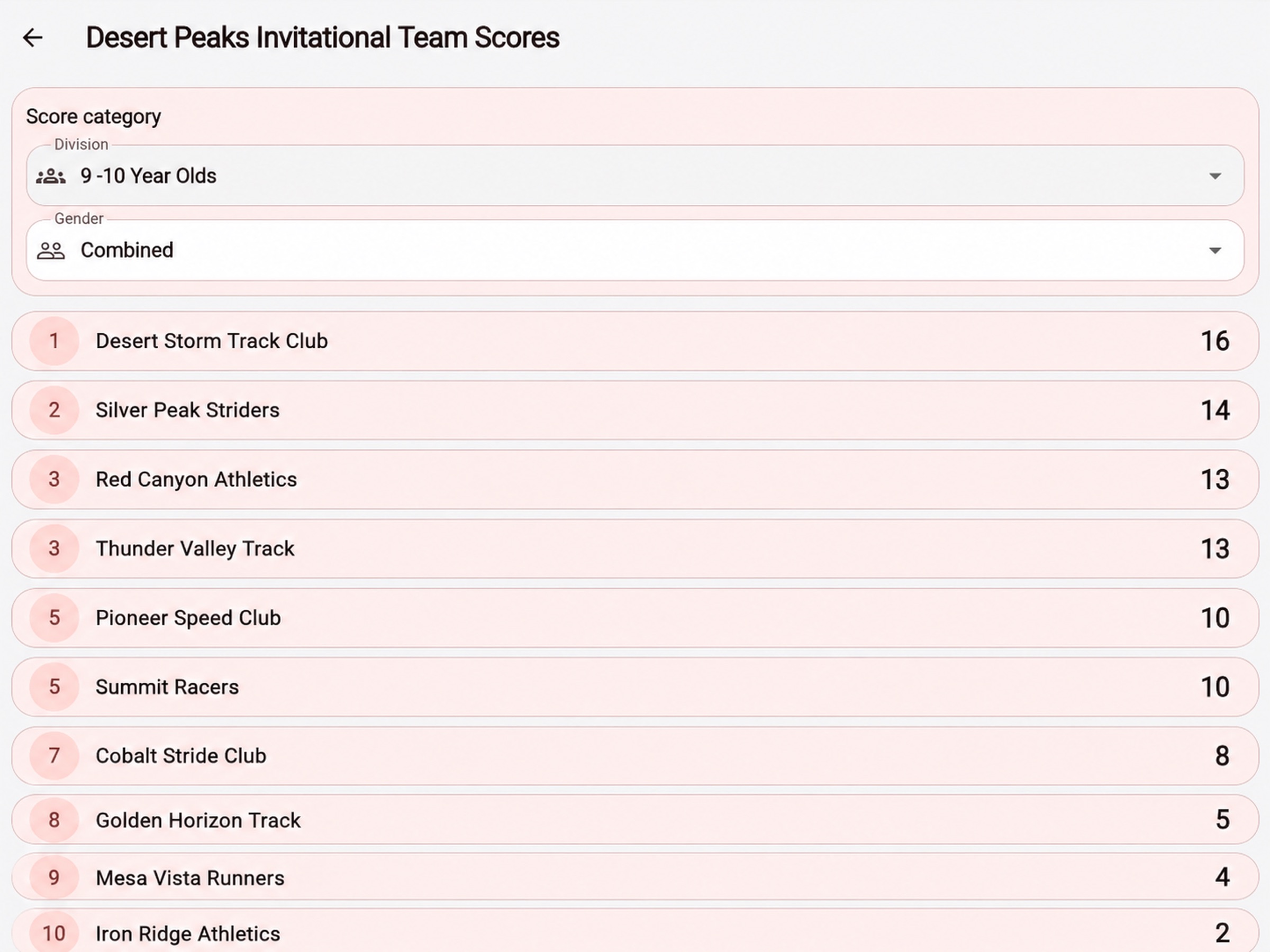
App Store screenshots. Meet content and screen appearance may vary.
Results, scores, start lists, and videos appear when the meet supplies them. A meet can be listed before every part of its competition data is available.
Record the competition where it happens. Import your assigned meet data, open an event and flight, and enter attempts directly from a phone or tablet.
Purpose-built workflows handle horizontal jumps and throws as well as vertical jumps. Local storage and queued synchronization let officials continue entering results when venue connectivity is unreliable.
Live operation requires a compatible MeetSystems server and event access credentials from your meet organizer.
Bring meets, sections, events, and athlete entries into the app from a compatible MeetSystems service. Saved connection profiles make it easier to return to an existing server.
Use horizontal-event series for events such as long jump and shot put. Record attempt marks, passes, and fouls, review best performances, and enter wind readings where applicable.
Use dedicated high jump and pole vault workflows. Configure bar heights and progressions, record clearances, misses, and passes, and review the athlete’s series.
Filter entries by flight to focus on the athletes in your competition group. Review attempt history and event progress from the series view.
Measurement entry supports metric and feet-and-inches workflows, including fractional inches. Choose the appropriate format for the event being scored.
Imported meet data and recorded attempts are stored on the device. Offline entries are queued for synchronization; reconnect and confirm they have reached the server before wrapping up.
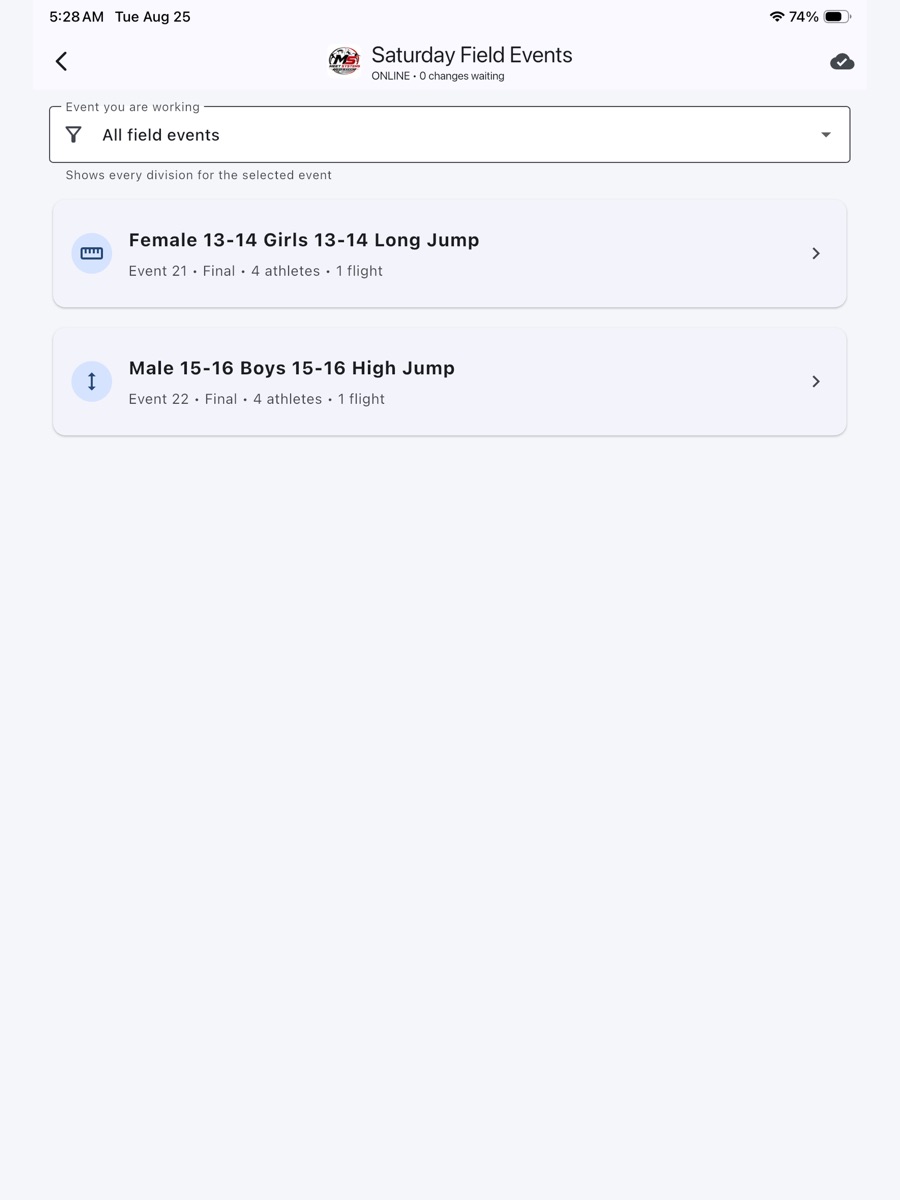
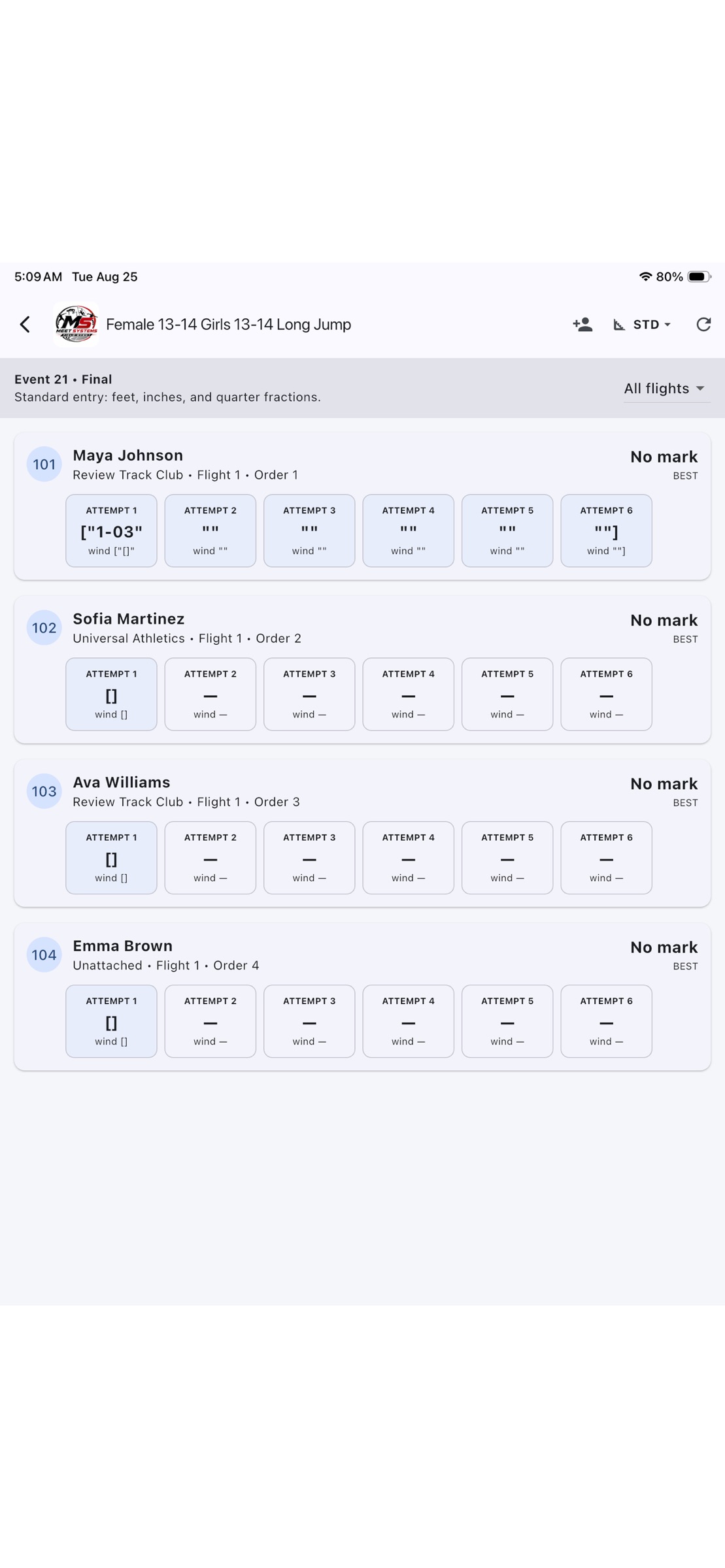
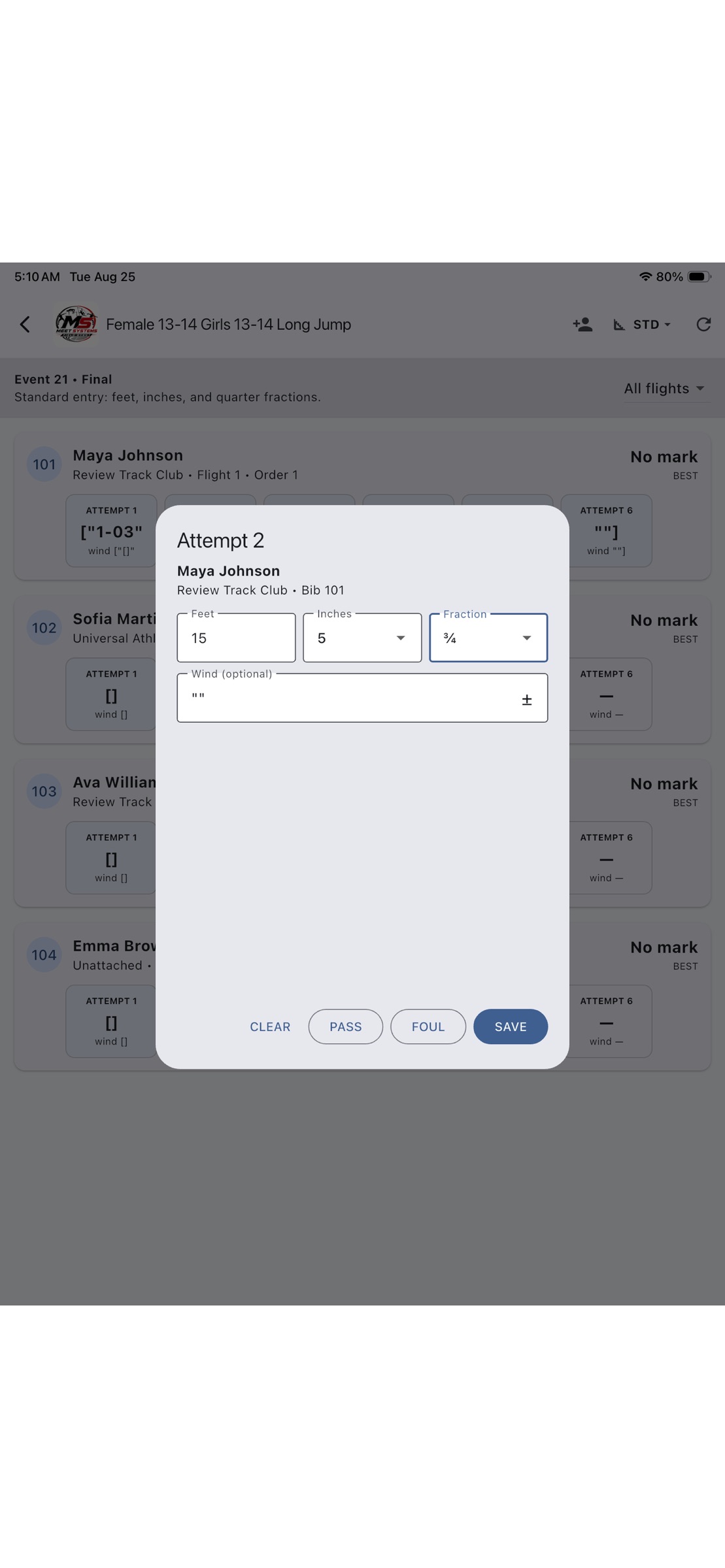
Published app screenshots showing example meet workflows.
Get the mobile server URL and access token from your meet organizer. Connect and import your assigned meet while you have a reliable connection, check the section and athlete list, and confirm the scoring units and event setup. After competition, reconnect and verify synchronization with your meet crew so recorded attempts are available to the connected meet system.
Choose your app
| Your task | Live Results | Field Event App |
|---|---|---|
| Who it is for | Athletes, coaches, spectators, and families | Officials and authorized meet crews |
| Main purpose | View published meet information and performances | Record field-event attempts and synchronize results |
| Getting started | Find and open a participating meet | Enter the organizer’s connection details and import the meet |
| Connection needs | Internet access for current published information | Connect to import and sync; enter attempts offline after import |
| Typical use | Check a heat result, start list, team score, or available replay | Score a jump or throw, manage a flight, or record bar-height attempts |
Before meet day
Live Results displays information published by participating MeetSystems organizers. A meet may not yet be published, and results or scores may not yet be uploaded. Check that you have opened the correct meet and selected the correct event, round, and division. Contact the organizer about missing or incorrect competition information.
Use Live Results to follow published competition information. The Field Event App is the scoring tool for authorized officials and requires the organizer’s compatible server connection and access credentials.
No. Video appears when the organizer provides supported live coverage or published replays. Availability can differ between meets and events.
After the meet has been imported, the Field Event App can store attempts locally and queue them for synchronization. Keep the device and its app data available, reconnect, and confirm synchronization before considering the results delivered. Spectators will see updates after the connected meet system receives and publishes them.
Both apps include phone and tablet layouts, with downloads for iPhone and iPad through the App Store and Android through Google Play. The store listing gives the current device and operating-system requirements.
Need help choosing an app or setting up field-event access for your meet? Contact MeetSystems for guidance.
Contact MeetSystems